Show it. Say it.
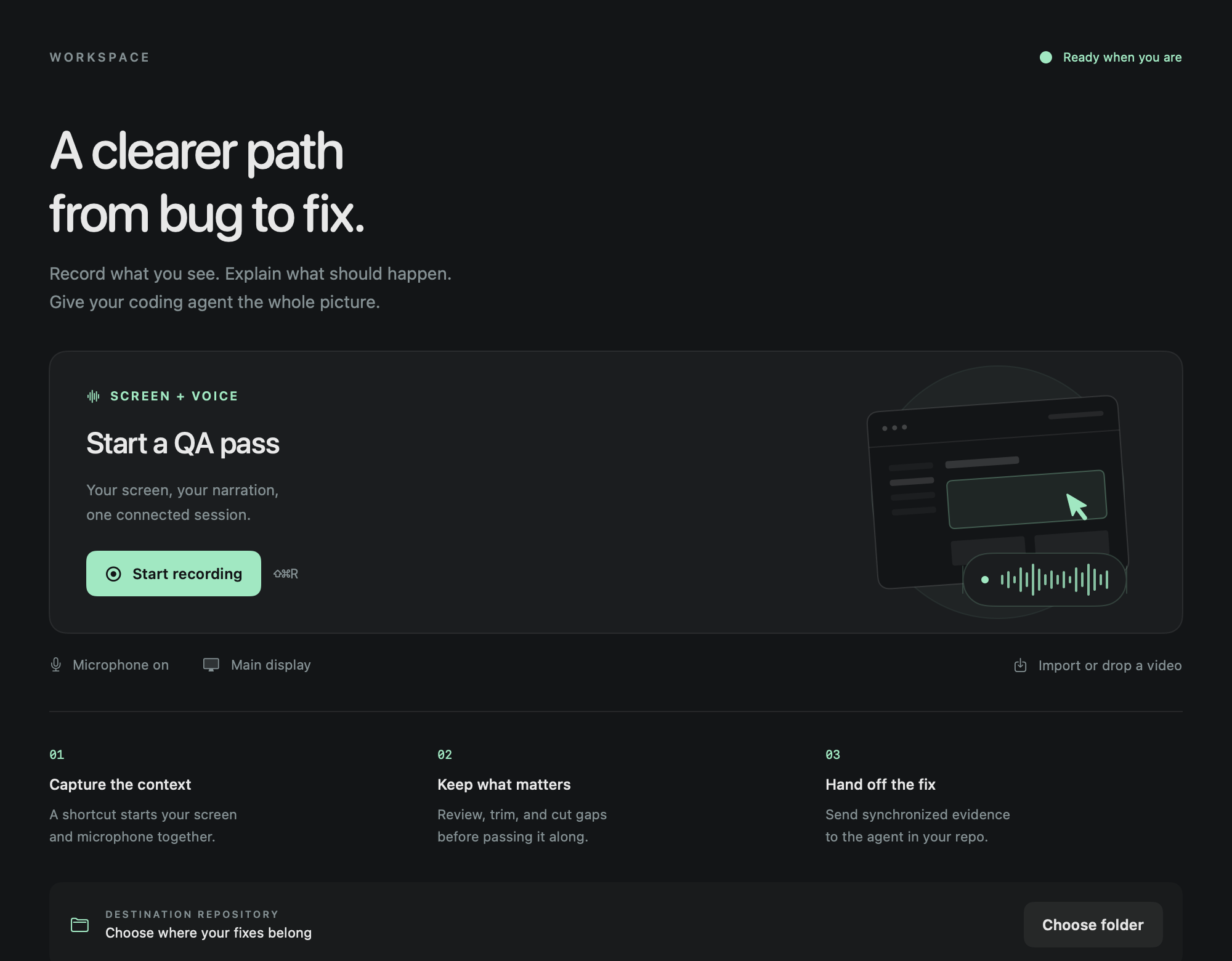
Open recording from Control Center. Walk through the issue and explain what happened and what you expected while your screen and microphone record together.
 AgentWalk
AI-NATIVE WALKTHROUGHS
Your coding agent moves fast.
Give it feedback that keeps up.
Record on Mac, iPhone, or iPad and talk through what needs to change. Turn the walkthrough into context for your coding agent or Linear tickets with screenshots. Less QA admin. More time building.
Free at launch. One-time purchase later.
No AgentWalk subscription.
Mac · iPhone · iPad · Control Center quick access
THE WORK BETWEEN SEEING AND FIXING
Reproduce it→Take screenshots→Write notes→Explain the context→Paste it all
Walk through it.Explain it as you go. Review your take. Hand over the context.↗
A SHORTER PATH TO THE NEXT FIX
Stay inside the product you're reviewing.
Let AgentWalk prepare the explanation.
Open recording from Control Center. Walk through the issue and explain what happened and what you expected while your screen and microphone record together.
Trim the start, remove a detour, or resume from the playhead. Keep the explanation focused while your original takes stay saved.
Open your chosen agent with the context prepared. Desktop handoffs let you paste the files, review the prompt, and send.
WHEREVER YOU FIND THE ISSUE
Start from Control Center.
Capture the context while it’s fresh.
Capture your screen and voice, refine the edit, and prepare a full evidence bundle. Hand it to your coding agent, create Linear tickets, or add Gemini video analysis.
Open the recording flow from Control Center, confirm the broadcast, and walk through the app. Review, trim, and share the recording with your request.
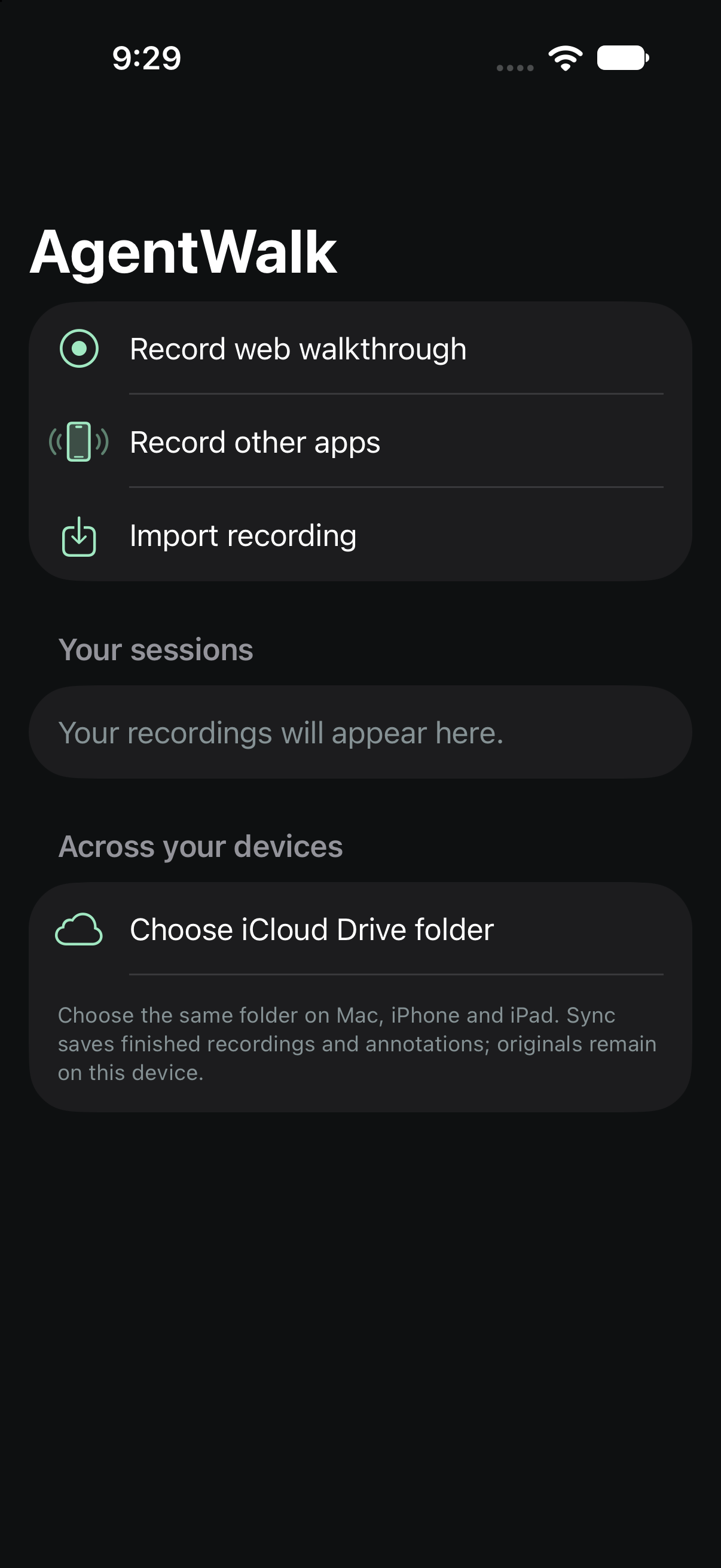
Circle the detail or sketch the fix with Apple Pencil. Annotate a web walkthrough inside AgentWalk as you record, or add marks while reviewing any recording.
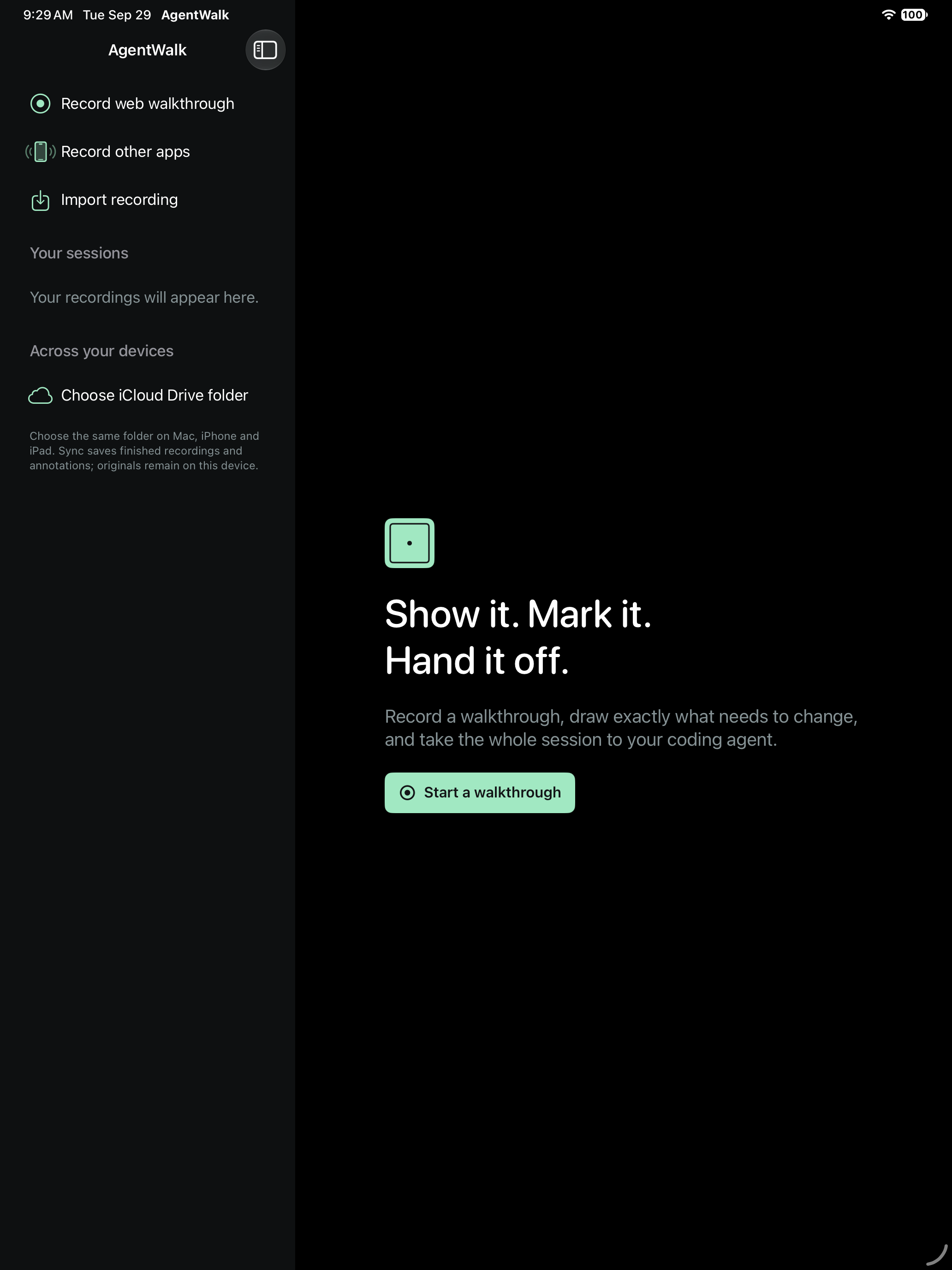
Choose the same iCloud Drive folder on your devices to sync sessions. Capture and annotate on iPad, then continue on Mac for transcripts, visual evidence, Linear publishing, and Gemini analysis.
FROM FEEDBACK TO ACTION AVAILABLE NOW
Talk through the issues as you find them. Turn your walkthrough into Linear tickets with the screenshots that explain each issue. Use your existing coding agent, or review and publish drafts from the Mac app.
Split, merge, and edit the drafts. Keep what you said connected to what was on screen.
Select the frames that show each issue. Add what should change and what should stay the same.
Publish the reviewed tickets and screenshots, with links back to the work.
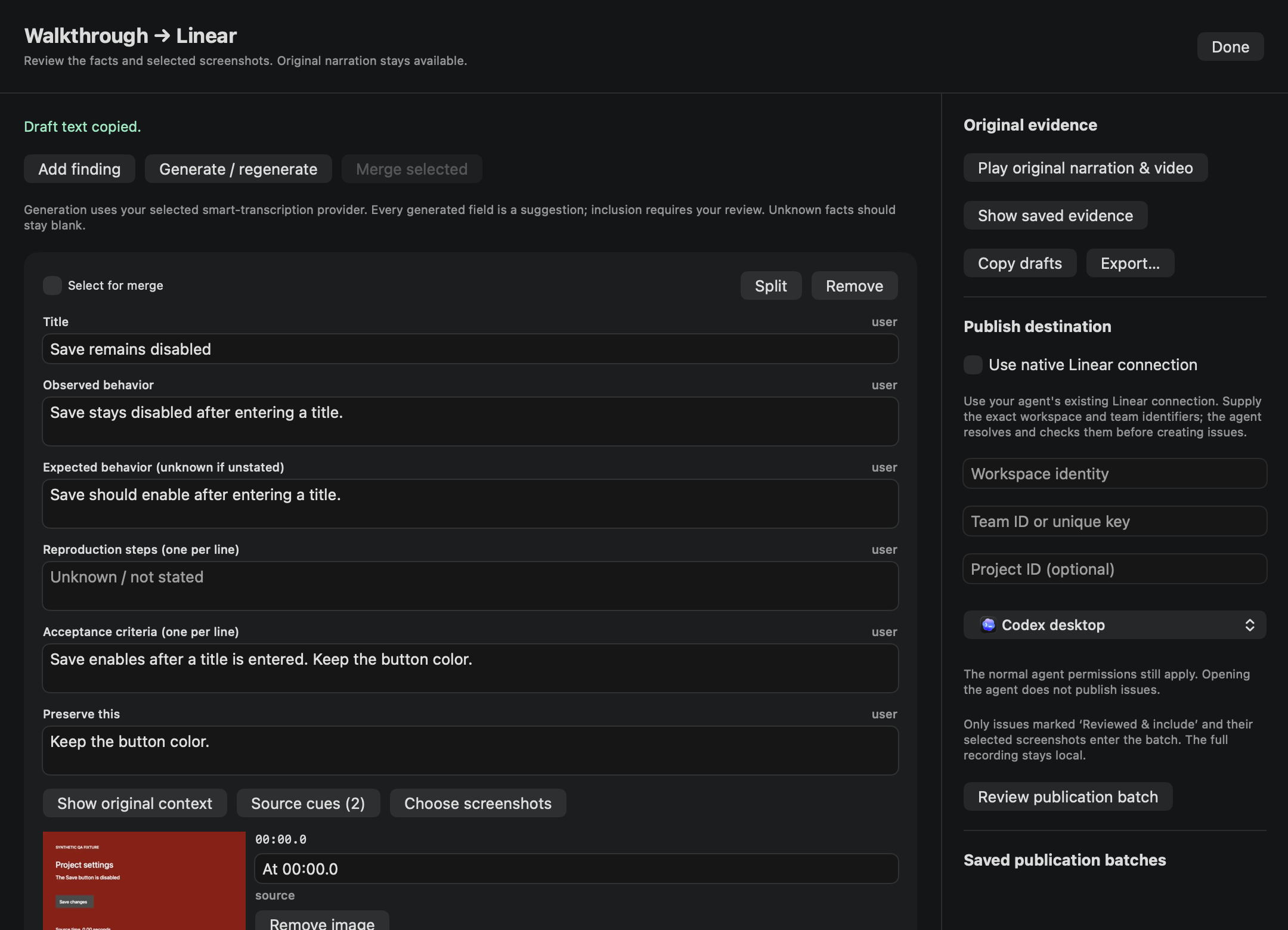
Create tickets through your coding agent's Linear MCP connection, using the account and permissions you already have. Include the relevant screenshots with the report.
Prepare editable drafts with local AI, select the screenshots, and publish through the Mac app’s Linear connection. You choose the team, tickets, and evidence.
GEMINI · AVAILABLE ON MAC
Native video ingestion sends your edited walkthrough and its audio directly to Gemini. Let it connect the journey, timing, and narration before your coding agent picks up the work.
How Gemini analysis worksGemini receives the edited MP4 and your written context, including the parts of the recording after you stop speaking.
Timestamped observations, related findings, and uncertainties travel with the originals. Your chosen coding agent implements changes or creates Linear tickets.
Optional and off by default. Uses your own Gemini API key; Google’s API charges and data terms apply. Video analysis can miss brief events or small text, so the original evidence stays available.
THE DETAILS STAY CONNECTED
That's useful feedback. Your agent should be able to follow it.
Put your next QA pass in contextThe transcript, screenshots, and on-screen text come from your final edited recording. They all point to the same moment.
A visual index helps your agent find the right frames. When a brief glitch falls between them, the included helper can pull a precise frame from the video.
Keep an independent folder with the recording and its context. Use Codex, Claude Code, Cursor, or your own workflow without a mandatory MCP setup.
LOCAL FIRST. YOUR CHOICE.
Your recordings stay in your device’s library. On Mac, speech transcription and screen processing happen locally; optional AI cleanup uses Apple’s on-device model, Ollama, or LM Studio. Keep the original narration alongside the cleaned notes.
Share with your existing coding agent, publish selected evidence to Linear, or opt into Gemini video analysis. Those services receive the material you choose to send. Optional iCloud Drive sync uses your chosen shared folder. How we handle data
✓ No AgentWalk account required
✓ No API key for local preparation
✓ Original takes preserved
✓ Review before you send
A TOOL YOU OWN
Keep your recordings and evidence on your devices. Use your existing coding agent, or prepare with local AI on Mac. AgentWalk won’t add a recurring bill or an inference-credit balance.
Third-party agents and Linear use their own accounts, plans, and limits. Optional Gemini analysis uses your own API key and may incur Google API charges. Local preparation needs neither.
THE PRICING PLAN
Try AgentWalk when the initial release is ready.
No AgentWalk subscription. The price and upgrade details will be announced before the paid release.
THE SMALL STEPS ADD UP
Manual notes, screenshots, and repeated explanations take time. Estimate the handoff work you could reclaim in your own day.
Illustrative calculator, not a measured AgentWalk result. Adjust the assumptions. Actual savings vary; agent execution time is excluded.
A FEW PRACTICAL DETAILS
No. We plan to launch free and introduce a one-time purchase later. The future price and upgrade details will be announced before the paid release. Third-party agents, Linear, and optional Gemini API usage have their own plans, limits, and any applicable charges.
Yes. Hand your walkthrough to an agent with a Linear MCP connection to create tickets with screenshots. The Mac app also provides editable issue drafts, selected evidence, and a direct Linear connection. Review the destination and content before publishing.
On Mac, use Codex desktop or CLI, Claude Code, Cursor, custom scripts, or a portable prompt. On iPhone and iPad, share the recording and request through native sharing and supported agent links. Install and sign in to your chosen agent separately; review and attach the files before sending.
AgentWalk captures, edits, and prepares the context. Your coding agent does the implementation through its normal permissions, and you review the result. AgentWalk does not automatically merge code.
Yes. Import MOV or MP4 recordings and trim your walkthrough. On Mac, you can also cut gaps, undo edits, and resume from the playhead. On iPad, add Apple Pencil annotations during an in-app web walkthrough or while reviewing a recording. Saved review annotations are included in the exported video.
Recordings are stored locally. Optional iCloud Drive sync copies sessions to your chosen shared folder. Handoffs send selected material to your agent or Linear. If you enable Gemini on Mac, the edited video, audio, and written context go to Google using your own API key. Read the privacy notice.
Add “Record with AgentWalk” from Control Center’s controls gallery on macOS, iOS, or iPadOS 26+. On Mac it starts with your saved capture settings. On iPhone and iPad it opens the broadcast flow, where you confirm recording before switching apps.
AgentWalk has native Mac, iPhone, and iPad apps. Request early access for your devices; public App Store availability and release dates have not been announced here. The initial launch will be free, followed by a one-time purchase with no AgentWalk subscription.
LESS ASSEMBLING. MORE BUILDING.
Free at launch. No AgentWalk subscription.
Tell us which devices and coding agents you use.
Opens your email app. No account or payment required.